

Evaluate and Approve
Human Integrated Testing
Run human-integrated GGX tests where reviewers evaluate agent behavior, capture qualitative feedback, validate outcomes, and support approval decisions.
The Human Integrated Testing module enables comprehensive testing of GenAI agents both before approval (Pre-Approval) and after deployment (Post-Approval/Post-Deployment), involving humans in the loop.
What is a Pre-Approval Testing?
Section titled “What is a Pre-Approval Testing?”The Pre-Approval Testing allows users to test the full end-to-end agent in a production-like environment, providing an opportunity to manually validate the final solution before deployment. It simulates real-world scenarios by replicating end-user experiences. This module abstracts the internal technical details, presenting only the final inputs and outputs for a streamlined evaluation process.
Note: Currently, only the chat-based agents registered on the platform are available for manual testing.
It enables reviewers to capture their feedback and scores during testing, offering valuable insights for the development team to improve the solution. Additionally, all testing data can be exported from the platform for different purposes, making it easier for developers and reviewers to collaborate.
Performing Pre-Approval Testing on the Platform:
Section titled “Performing Pre-Approval Testing on the Platform:”All the chat-based agents are available for Pre-Approval Testing.
- Click on Start Session in the Pre-Approval Testing module.
- Choose the agent to be tested from a list of registered agents.
- Once the agent is selected, a new window will open where you can start interacting.
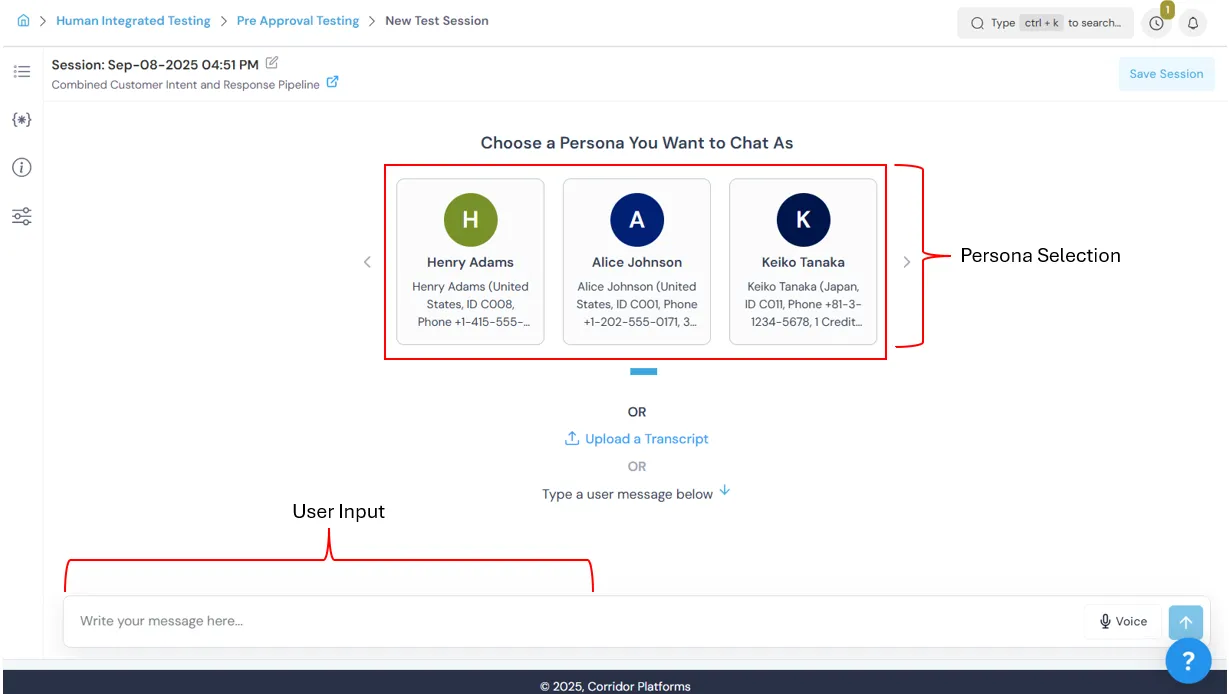
- Start interacting in the chat window. Optionally, select a Persona to simulate real-life scenarios, or begin chatting directly.
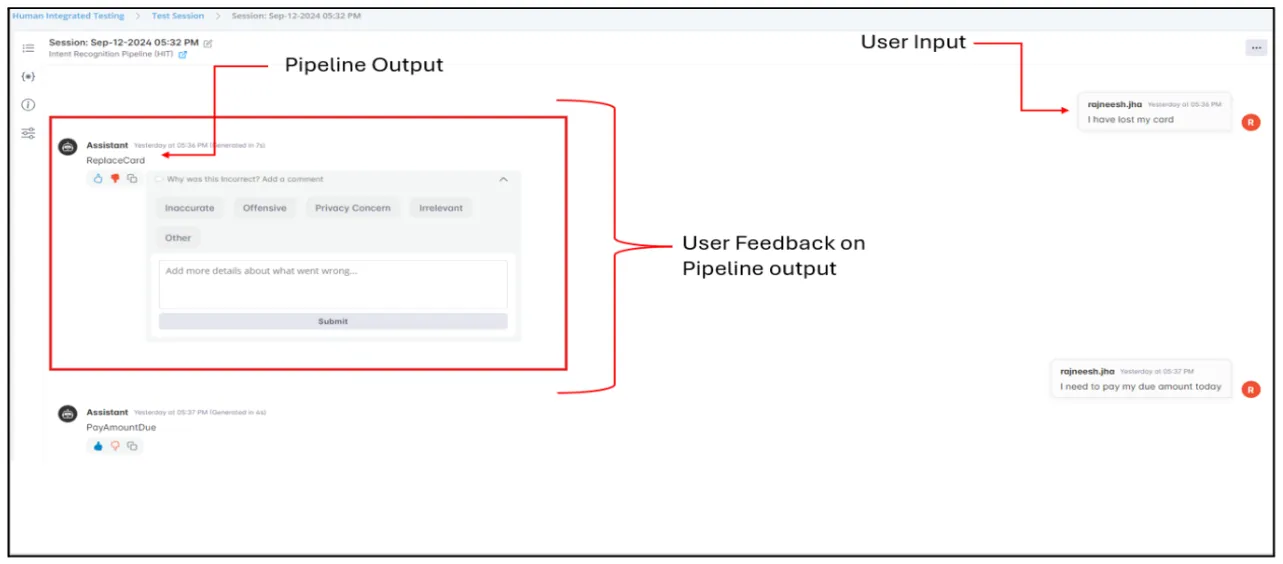
- Provide feedback: Use 👍 if satisfactory, 👎 if not; reasons/comments are prompted for 👎.
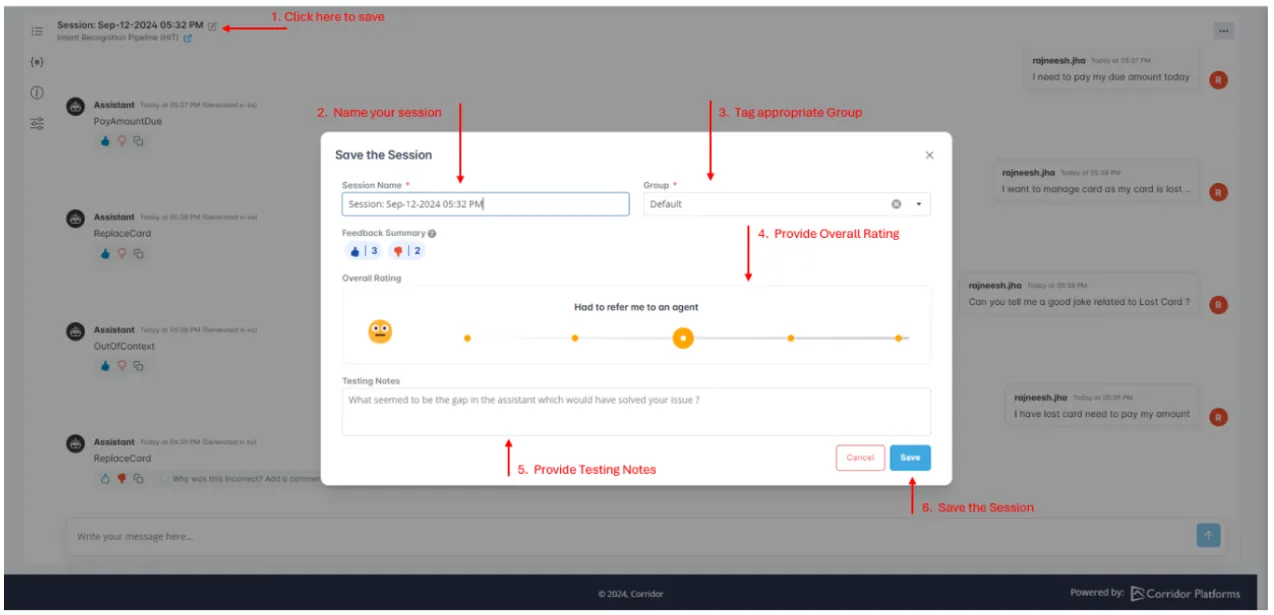
- Once testing is completed, an experience summary can be recorded by providing an overall session rating and testing notes.
- You can download the transcript of the session for external documentation or further analysis.
Note:
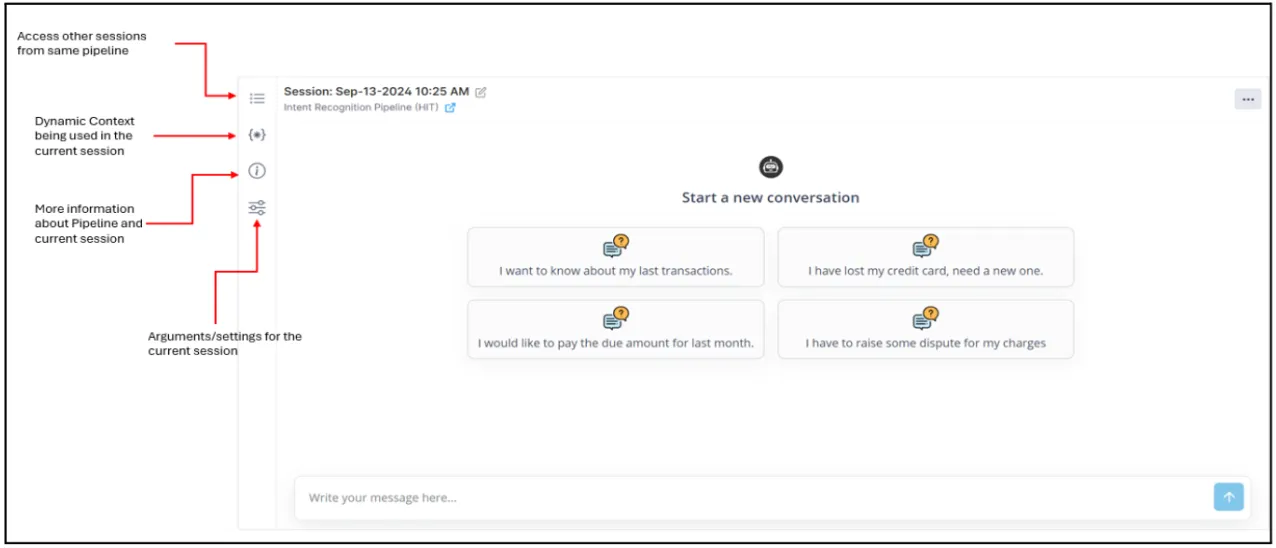
More information about the Testing Session and GenAI Agent can be seen in the information panel on the left. There are 4 buttons in the information panel:
- View other sessions from the same agent.
- View the context being used in the agent. This is additional information that will be utilized by LLM to answer user questions. For example, it can be customer metadata being pulled from some knowledge base.
- View more details about the agent and the Gen AI assets used in this agent.
- View any configurations provided to the agent by the Modeler, such as temperature, random seed, etc.
Every interaction, feedback, and comment in the Test Session is auto-saved immediately and recorded in history and recorded along with report cards in customized groups.
Benefits of Pre-Approval Testing:
Section titled “Benefits of Pre-Approval Testing:”- Human-in-the-loop testing before approving the agent for production.
- Easy to follow and intuitive user interface to test agents.
- Abstraction of complex agent logic from MRM/Fair-Lending/Business teams.
- Record feedback and generate report cards for continuous improvement.
- Allows Multi-Turn testing for real-world scenarios.
- Load transcripts from other environments for human scoring.
Similar to this an agent can be tested/monitored post approval also. Visit Deploy and Monitor section to know more on this.